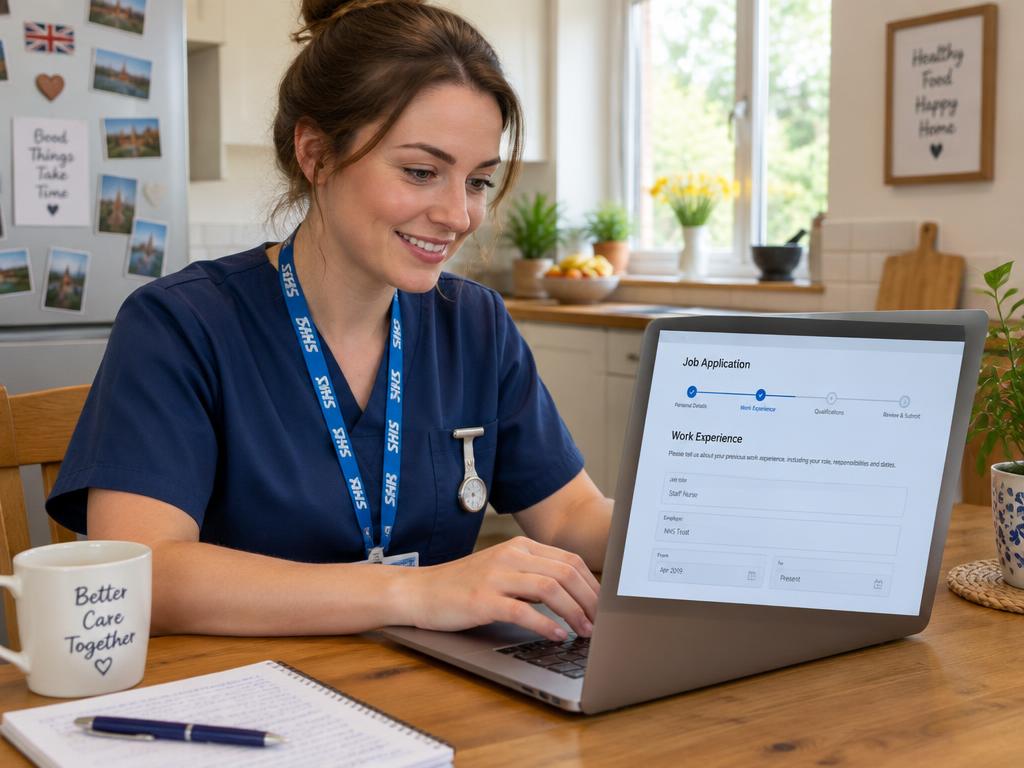
What is the Trac Jobs system?
Trac Jobs is a popular recruitment software used by many NHS Trusts across the UK to manage their hiring process. While you might find a vacancy on a large portal like NHS Jobs, clicking 'Apply' will often redirect you to that specific Trust's Trac system to complete your application. Think of NHS Jobs as the shop window, and Trac Jobs as the till where you handle the actual transaction.
It’s an important distinction because it explains why you sometimes need to create separate accounts and re-enter information for different NHS employers. Each Trust has its own version of Trac, so your login for one won't work for another. It can feel repetitive, but understanding this system is the first step to navigating it successfully.
Finding and starting your NHS application
Most NHS job hunts in England and Wales begin on the official NHS Jobs website. In Scotland, you’ll likely use Job Train, while Northern Ireland uses HSC Jobs. When you find a role that interests you, pay close attention to the attached documents, particularly the Job Description and the Person Specification.
The Person Specification is the most important document for your application. It lists all the 'essential' and 'desirable' criteria the hiring managers will use to score you. Your goal is to prove you meet every single essential criterion and as many desirable ones as possible.
A crucial tip for applying to NHS roles:
- Apply early. Adverts often state a closing date, but many include a clause saying they reserve the right to close the vacancy early if they receive a high volume of applications. Popular roles can close within days, or even hours. If you see a job you want, don't wait.
Once you click the apply button, you'll be taken to the Trust's Trac portal. You’ll need to register an account if it's your first time applying to that specific Trust. From there, the application process begins.
Mastering the Trac application form
The Trac form is comprehensive and can seem daunting. It’s broken down into standardised sections. The best approach is to tackle it methodically and save your progress as you go. You don't have to complete it all in one sitting.
Typical sections include:
- Personal Details: Standard information like your name, address, and contact details.
- Qualifications: A record of your academic and professional qualifications. Have your certificates handy to ensure you get the dates and titles exactly right.
- Employment History: A chronological list of your previous roles. Be precise with dates, employer names, and your job titles.
- References: You’ll usually need to provide details for your last few years of employment, including your current or most recent employer. It's good practice to let your referees know to expect a reference request.
- Monitoring Information: This section on equality and diversity is confidential and is not seen by the shortlisting panel.
- Supporting Information: This is the single most important part of your application.
Take your time and fill out each section accurately. Rushing can lead to mistakes that may cause delays later during pre-employment checks.
Writing a high-scoring supporting statement
Your supporting statement (sometimes called 'Supporting Information') is where you make your case for the job. It's your chance to show the shortlisting panel not just what you've done, but how well you've done it and how your skills align with their needs. A generic, copy-pasted statement will almost always be rejected.
The only way to succeed is to systematically address the Person Specification. Go through it line by line and provide evidence for how you meet each point. Use the headings from the Person Specification (e.g., 'Experience', 'Skills and Abilities', 'Knowledge') to structure your statement. This makes it easy for the panel to score your application.
For each criterion, provide a specific example using the STAR method:
- Situation: Briefly describe the context. Where were you? What was the challenge?
- Task: What was your specific responsibility? What goal were you trying to achieve?
- Action: What specific steps did you take? Use 'I' statements, not 'we'.
- Result: What was the outcome? Quantify it if you can (e.g., 'reduced waiting times by 10%', 'improved patient feedback scores').
NHS recruitment is also values-based, centred on the principles of the NHS Constitution. As you write your examples, try to weave in these core values:
- Working together for patients
- Respect and dignity
- Commitment to quality of care
- Compassion
- Improving lives
- Everyone counts
Writing a compelling supporting statement takes time and effort. For extra help structuring your evidence against the person specification, you might find a dedicated tool like our Application Co-pilot useful.
A worked example: Applying for a Band 5 Staff Nurse role
Imagine a newly qualified nurse is applying for a Band 5 Staff Nurse role on a busy surgical ward. The person specification has an essential criterion: "Ability to manage and prioritise patient care effectively."
Here’s how they could use the STAR method to answer it in their supporting statement:
(Situation) "During my final placement on an acute medical unit, I was responsible for a bay of six patients with complex and rapidly changing needs."
(Task) "My task was to ensure all patients received timely and safe care, including medication rounds, observations, and personal care, while also responding to any emergencies and preparing patients for discharge."
(Action) "To manage this, I started each shift by reviewing the handover notes and patient care plans to identify the most clinically urgent priorities. I used a personal timetable to structure my medication rounds and scheduled observations, but remained flexible to adapt to unforeseen events. For example, when one patient's condition deteriorated, I immediately escalated to the nurse in charge and doctor, while delegating a non-urgent task to a healthcare assistant to ensure my other patients' needs were still met."
(Result) "This systematic yet flexible approach ensured that all essential care was delivered on time and that I could respond effectively to clinical emergencies. My mentor commented positively on my organisational skills and ability to remain calm under pressure, and I consistently completed all my assigned tasks by the end of my shift without compromising patient safety or quality of care."
After you've submitted: What happens next?
Once you hit 'Submit', your application goes to the hiring manager. The next steps can take a while, so patience is key.
1. Shortlisting: The hiring manager and a panel will score every application against the essential and desirable criteria in the person specification. Only the highest-scoring applicants are invited to an interview.
2. Interview Invitation: If you are shortlisted, you'll receive an invitation via Trac and email. This will include details of the interview format (which may be in-person or virtual), who will be on the panel, and what to expect. This is the time to start your preparation. For guidance on common questions and how to structure your answers, our NHS Interview Pack can help.
3. The Offer: If you're successful at the interview, you'll receive a conditional offer of employment. This is 'conditional' upon completing the necessary pre-employment checks.
4. Pre-Employment Checks: This is often the longest part of the process. The Trust's HR team will verify your identity, right to work in the UK, qualifications, employment history, and professional registration. They will also carry out health and criminal record checks.
You can keep track of where your application is in the process by logging into your Trac account. Using a personal tracker, like our simple NHS Application Tracker, can also be helpful if you're applying for multiple roles at once.
Navigating pre-employment checks
This final hurdle can feel slow, but you can help speed things up by being prepared. The checks are mandatory for all NHS employees to ensure patient safety.
Here's what you'll need to get through:
- References: Your referees will be contacted automatically. Make sure you've provided correct contact details for managers at your previous employers.
- Disclosure and Barring Service (DBS): You'll need to complete an application for a criminal record check. The level of check depends on the role. You will also need to provide identity documents (like a passport, driving licence, and utility bills) to be verified.
- Occupational Health: You will complete a health questionnaire and may need to attend an appointment to ensure you are fit to undertake the role and to arrange any necessary workplace adjustments.
- Right to Work & ID: You must prove your identity and your right to work in the UK by providing original documents like a passport or biometric residence permit.
- Qualification & Registration Check: You'll need to provide original certificates for your professional and academic qualifications, and the Trust will verify your registration with bodies like the NMC or GMC.
The time from conditional offer to a final, unconditional offer and start date can vary significantly. A typical timeframe is between 6 and 12 weeks, but it can be quicker or longer depending on the complexity of the checks. Communicate promptly with the HR team and provide any requested documents as quickly as possible.
Key takeaways
- Trac Jobs is a recruitment system used by individual NHS Trusts, not a central job board like NHS Jobs.
- Always apply early, as popular NHS roles can close before the advertised deadline.
- The Person Specification is the most important document; use it to structure your supporting statement.
- Use the STAR method (Situation, Task, Action, Result) to provide specific evidence for how you meet each criterion.
- The process from application to starting a new role can take several months, with pre-employment checks often being the longest stage.
- Be prepared for pre-employment checks by having your documents, qualifications, and referee details ready to go.