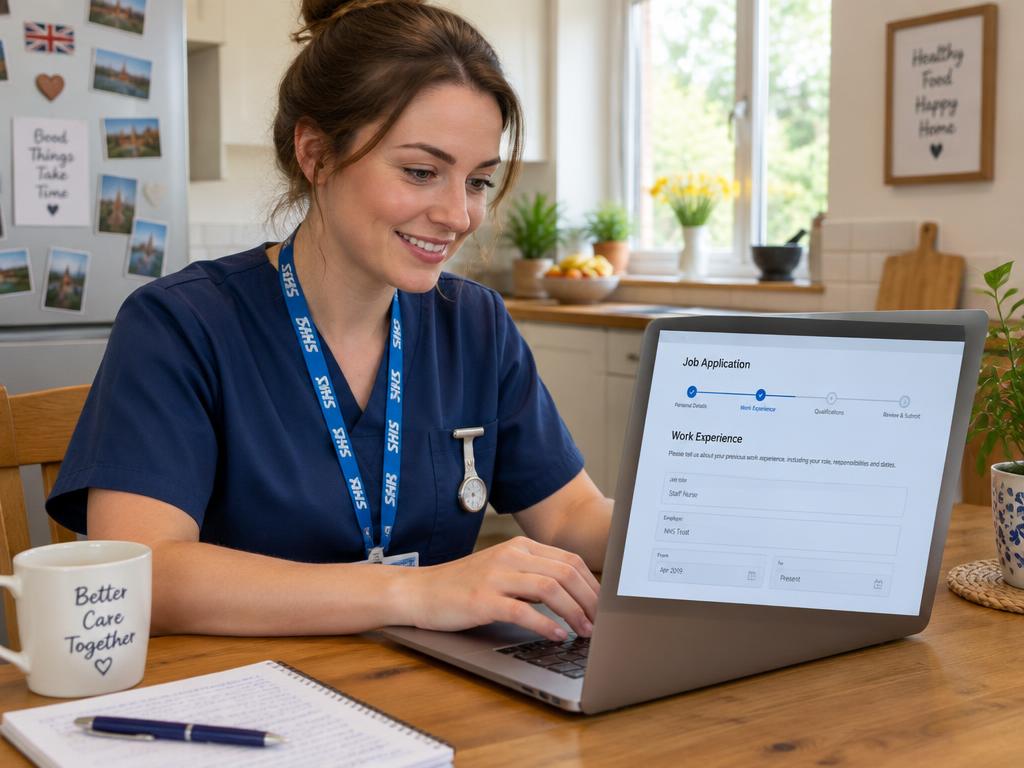
Struggling to Log In to Trac? You're Not Alone
If you're having trouble logging into your Trac Jobs account, don't panic. Most sign-in problems are caused by simple issues like a forgotten password, a mistyped email address, or browser settings, and can usually be fixed in a few minutes. This guide will walk you through the most common fixes and tell you who to contact if you're still stuck.
What is Trac and Why Do So Many NHS Trusts Use It?
While many NHS job seekers start on national portals like NHS Jobs (for England and Wales), Job Train (for Scotland), or HSC Jobs (for Northern Ireland), the application process itself is often handled by a different system. Trac is one of the most popular applicant tracking systems (ATS) used by individual NHS trusts to manage their recruitment process from start to finish.
When you find a role on NHS Jobs and click the 'Apply' button, you'll often be redirected to the specific trust's recruitment portal, which is frequently powered by Trac. This is why you need a separate login for Trac, even if you already have an NHS Jobs account.
Trusts use Trac because it allows them to:
- Manage thousands of applications for various roles in one place.
- Standardise the scoring of application forms and supporting statements against the person specification.
- Communicate with candidates about interviews and job offers.
- Handle all the essential pre-employment checks, such as references, DBS, and occupational health clearances.
Think of it as the administrative backbone of a trust's recruitment department. Getting comfortable with logging in and navigating the system is the first step in a successful application journey.
Common Trac Login Problems and How to Solve Them
Let's break down the most frequent login hurdles and the practical steps you can take to overcome them. Most of the time, one of these solutions will get you back on track.
Forgotten Your Password?
This is by far the most common issue. If you've forgotten your password, simply use the 'Forgotten your password?' or 'Reset password' link on the Trac login page. You'll be asked to enter the email address associated with your account.
Trac will then send a password reset link to that email address. If it doesn't arrive within a few minutes, be sure to check your spam or junk folder. Some email providers can be overzealous with filtering. Once you receive it, follow the instructions to set a new, memorable password.
Using the Wrong Email Address?
The Trac system relies on your email address as your unique username. You must use the exact email address you used when you first registered. If you have multiple email addresses, it's easy to get them mixed up.
Try searching your different email inboxes for any previous correspondence from Trac or the NHS trust. Look for application confirmations or interview invitations. This will help you identify the correct email address to use. Attempting to create a new account with a different email will not give you access to your previous applications.
Account Locked or Disabled?
For security reasons, Trac will temporarily lock your account after a certain number of incorrect login attempts. This is a standard security feature to protect your personal data.
If you see a message about your account being locked, the first thing to do is wait. The lockout is often temporary, lasting anywhere from 30 minutes to an hour. Take a break, and when you return, be very careful to enter the correct details. If you're unsure of the password, it's better to use the 'Forgotten password' link straight away rather than risk getting locked out again.
If you're still locked out after a few hours or you're up against an application deadline, you'll need to contact the trust's recruitment team directly.
Browser or Cookie Issues?
Sometimes the problem isn't with your account, but with your web browser. Trac uses 'cookies' – small data files stored by your browser – to keep you logged in and make the site function correctly. If your browser's settings are blocking cookies or its stored data (cache) has become corrupted, it can prevent you from signing in.
Here are a few things to try:
- Clear your cache and cookies: Go into your browser's settings (under 'Privacy' or 'History') and clear the browsing data. Then, close and reopen the browser before trying to log in again.
- Use a private or incognito window: This opens a fresh browser session without any stored cookies or data, which can often bypass the problem.
- Try a different browser: If you're using Chrome, try Firefox or Microsoft Edge instead (or vice versa). This can help determine if the issue is specific to one browser.
Who to Contact for Help When You're Still Stuck
If you've tried all the troubleshooting steps above and still can't access your Trac account, it's time to ask for help. Your first and best point of contact is the recruitment or HR team at the specific NHS trust you are applying to.
Their contact details can almost always be found on the original job advert. Look for an email address or phone number for enquiries. If you can't find it there, visit the trust's main website and look for their 'Careers' or 'Work for Us' section, which should have contact information for the recruitment department.
The trust's team has administrative access to their part of the Trac system. They can check which email address is registered to your name, manually reset your password, or unlock your account. They deal with these queries every day, so don't hesitate to reach out.
While Trac itself has a central support function, going through the trust is almost always faster as they are directly responsible for your application.
Beyond the Login: Navigating Your NHS Application
Once you're successfully logged in, the real work begins. The NHS uses values-based recruitment, meaning they want to see how you embody the core values of the NHS Constitution in everything you do. These values are:
- Working together for patients
- Respect and dignity
- Commitment to quality of care
- Compassion
- Improving lives
- Everyone counts
The most important part of your application is the supporting statement. This is where you must provide evidence of how your skills, qualifications, and experience meet the essential and desirable criteria listed in the person specification. Generic statements won't cut it; you need to give specific examples.
Let's take a realistic scenario. A Band 5 nurse, working 30 hours a week in a community role, wants to apply for a specialist Band 6 position. In her supporting statement on Trac, she can't just say she has good communication skills. She needs to provide a concrete example: "In my role managing a caseload of 25 patients, I collaborated daily with GPs, social workers, and occupational therapists to coordinate complex care packages. For instance, I recently chaired a multi-disciplinary team meeting for a palliative patient to ensure their end-of-life wishes were respected, demonstrating my commitment to 'working together for patients' and providing compassionate care."
Crafting a compelling supporting statement that is tailored to the job is crucial. If you need a hand structuring your thoughts and hitting all the key points, tools like our Application Co-pilot can provide a helpful framework.
After you submit, remember that job adverts can close early if a high number of applications are received, so it's always best to apply sooner rather than later. And if you're managing applications to several trusts, a simple log like our NHS Application Tracker can help you keep track of your progress.
Key takeaways
- Most Trac login problems are easily solved with the 'Forgotten password' link or by checking you're using the correct email address.
- Browser issues are a common culprit; try clearing your cache and cookies or using a private browsing window.
- If your account is locked, wait an hour before trying again. If you're still locked out, contact the recruiting trust.
- Your primary source of help is the recruitment team for the specific NHS trust, not Trac's central support. Their contact details are on the job advert.
- Keep a record of the email address you use for each application to avoid confusion.
- Once you're in, focus on tailoring your supporting statement to the person specification and demonstrating the NHS values.