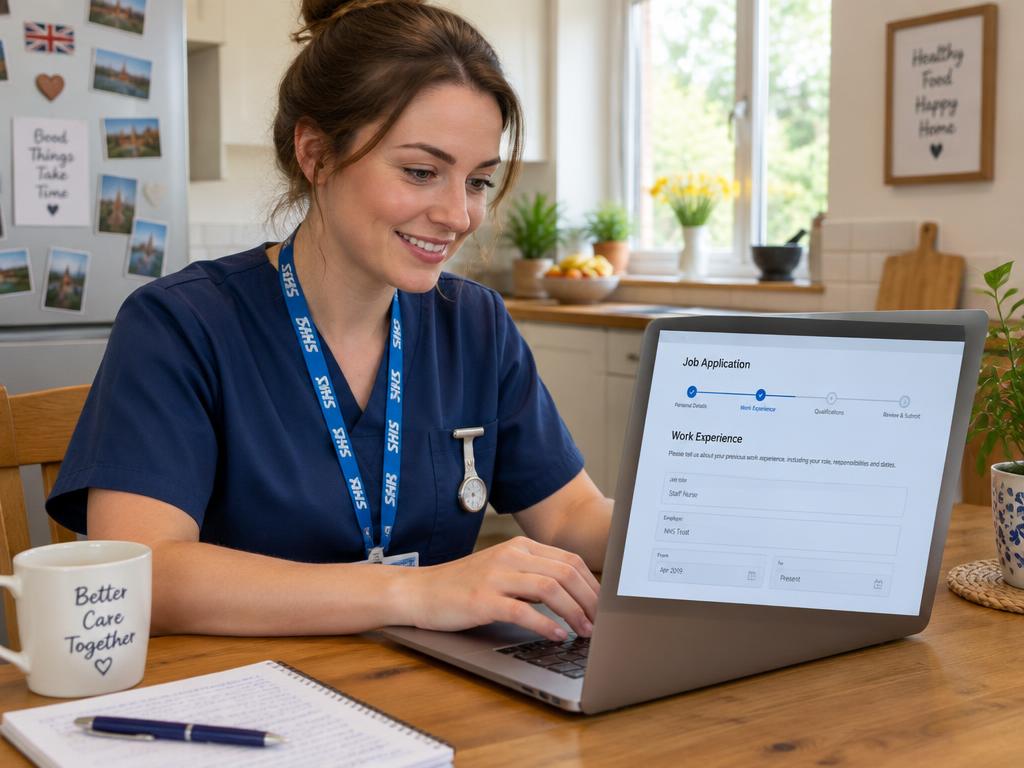
NHS Jobs is the main national website where NHS vacancies in England and Wales are advertised. Trac Jobs is a separate, commercial recruitment system that many individual NHS trusts use to manage their application process. This means you might find a job on NHS Jobs, but when you click to apply, you are taken to that specific trust's Trac portal to complete your application.
What is NHS Jobs?
Think of NHS Jobs (jobs.nhs.uk) as the official national noticeboard for health service careers in England and Wales. It’s a huge, centralised website run by the NHS Business Services Authority, listing thousands of vacancies from clinical roles to admin, estates, and management positions.
For many jobseekers, it’s the first and only stop. You can create a single account, save your personal details, employment history, and qualifications, and set up alerts for roles that match your interests. When you apply for a job that is handled directly within the NHS Jobs system, much of the form is pre-populated, saving you a significant amount of time.
It’s worth noting that other parts of the UK have their own dedicated platforms:
- Scotland: NHS Scotland jobs are advertised on Jobtrain.
- Northern Ireland: Health and Social Care (HSC) jobs are listed on HSC Jobs.
The key takeaway is that NHS Jobs is primarily a job board—a place to find and browse opportunities.
What is Trac Jobs?
Trac Jobs, often just called 'Trac', is a completely separate system. It isn't a job board where you can browse vacancies from across the country. Instead, it’s an Applicant Tracking System (ATS)—a powerful piece of software that many individual NHS trusts and healthcare organisations buy to manage their entire recruitment workflow.
When a trust uses Trac, it handles everything from the moment you submit your application to the day you start. This includes:
- Collecting and storing application forms.
- Helping recruiters shortlist candidates by scoring applications against the person specification.
- Sending out interview invitations and communications.
- Managing pre-employment checks like references, DBS, and occupational health clearance.
Because it’s a system used by individual trusts, you don't have one single 'Trac' account. If you apply for jobs at three different trusts and they all use Trac, you will likely need to create three separate accounts, one for each trust's unique Trac portal.
How they work together: The candidate journey
The relationship between NHS Jobs and Trac is the source of most confusion, but it makes sense when you see the logic. An NHS trust wants its job advert to be seen by the largest possible audience, and the best place for that is the national NHS Jobs website.
However, that same trust might have its own sophisticated internal system (Trac) for actually managing the hundreds of applications it receives. So, it uses NHS Jobs as its shop window but asks you to come into its own administrative back office (Trac) to make the purchase.
This leads to two common scenarios for an applicant:
- The self-contained application: You find a job on NHS Jobs, click 'Apply', and complete the entire application form without ever leaving the jobs.nhs.uk website. This is a smooth, integrated experience.
- The redirect: You find a job on NHS Jobs, click 'Apply', and your browser opens a new tab, taking you to a website with a different address (often something like `jobs.nhstrustname.nhs.uk`). This is the trust’s Trac portal. You’ll need to register for a new account on that site before you can start filling in the form.
Neither system is better or worse from a candidate's perspective, but knowing that this redirect can happen helps you prepare and not feel like you've done something wrong.
A practical example: Aisha applies for a nursing role
Let's imagine Aisha is a Band 5 nurse looking for a new role in Manchester. She logs onto NHS Jobs and searches for positions that match her criteria.
She finds two promising vacancies:
Vacancy 1: A staff nurse role at 'North Manchester General Hospital'. She clicks the 'Apply' button. She stays on the NHS Jobs website. Her personal details, education, and work history are all pre-filled from her NHS Jobs profile. She focuses her energy on crafting a brilliant supporting statement, tailored to the person specification. The whole process is quick and familiar.
Vacancy 2: A community nurse role with 'Manchester University NHS Foundation Trust'. She clicks 'Apply'. A new browser tab opens, taking her to the trust's dedicated recruitment portal, which is powered by Trac. She doesn't have an account, so she has to create one with her email and a new password. Once inside, she has to fill in all her details again from scratch: name, address, qualifications, and employment history. It takes longer, but the core task—completing the form and writing a supporting statement—is exactly the same.
In both cases, her application will be judged in the same way: scored against the essential and desirable criteria in the person specification. The front-end system is different, but the recruitment principles are the same.
Tips for navigating both systems
Applying for NHS jobs can feel like a job in itself, especially when dealing with multiple platforms. Here are a few practical tips to make it easier:
- Keep a master document: Don't rely on any single system to store your information. Keep a Word or Google document with all your core details: personal information, a chronological history of your employment with dates and key responsibilities, and your qualifications. This makes copying and pasting into different forms much faster.
- Password management: You will end up with multiple accounts. Use a secure password manager or a consistent, memorable system to keep track of your logins for NHS Jobs and the various Trac portals you might register on.
- Tailor every single time: While you can copy your employment history, never copy and paste your supporting statement without customising it. This is the most important part of your application. Read the person specification for each role and provide specific evidence for how you meet each point. Tools like our Application Co-pilot can help you structure your statement effectively.
- Track your progress: With applications spread across different websites, it’s easy to lose track. A simple spreadsheet or a dedicated tool like our NHS Application Tracker can help you monitor which jobs you've applied for, where you applied, and the status of each application.
- Don't wait until the deadline: This applies to both systems. Many NHS job adverts state they may close early if a high volume of applications is received. Aim to submit your application as soon as you are happy with it.
What happens after you apply?
Regardless of whether you applied through NHS Jobs directly or were redirected to Trac, the post-application process is broadly the same across the NHS. It's governed by NHS Employers standards and a commitment to values-based recruitment.
Once the advert closes, a shortlisting panel (usually including the hiring manager) will review and score all the applications. They do this by systematically checking the evidence in your supporting statement against the criteria in the person specification.
If you are successfully shortlisted, you will be invited for an interview. The invitation will likely come via email from the system you applied on (either NHS Jobs or Trac). Interviews often include questions designed to assess your alignment with the NHS Constitution values: compassion, respect, and a commitment to quality of care.
If you are offered the job, you will receive a conditional offer. The conditions are the pre-employment checks, which typically include:
- Satisfactory references (usually covering the last three years)
- A Disclosure and Barring Service (DBS) check
- An occupational health assessment
- Proof of your right to work in the UK
- Verification of your identity and qualifications
This stage is often managed within the trust's Trac system and can take time. From interview to your first day on the job, a timeframe of 6 to 12 weeks is typical, though this can vary. Always check with the trust's recruitment team for specific timelines.
Key takeaways
- NHS Jobs is the 'shop window': It’s the main national website where you find vacancies.
- Trac is a 'back office' system: It’s a recruitment platform used by many individual trusts to manage the application process from start to finish.
- Expect redirects: It's common to find a job on NHS Jobs but be sent to a trust's Trac portal to apply.
- You'll need multiple accounts: You have one account for NHS Jobs, but you will need a separate account for each individual trust's Trac system you apply to.
- The core task is the same: No matter the system, your goal is to prove you meet the person specification, primarily through a well-written supporting statement.
- Stay organised: Keep your own master copy of application information and track where and when you have applied to stay on top of the process.